Single Trip
The single trip view is where you review one travel request after it has been created. It shows the base information, costs, approval history, files, related projects, and status actions for that trip.
Use this page when you need to understand what happens after a trip is submitted, approved, completed, and closed.
Open A Trip
Open Trips -> Dashboard, then select a trip from the Trips table. Compass opens the trip details page.
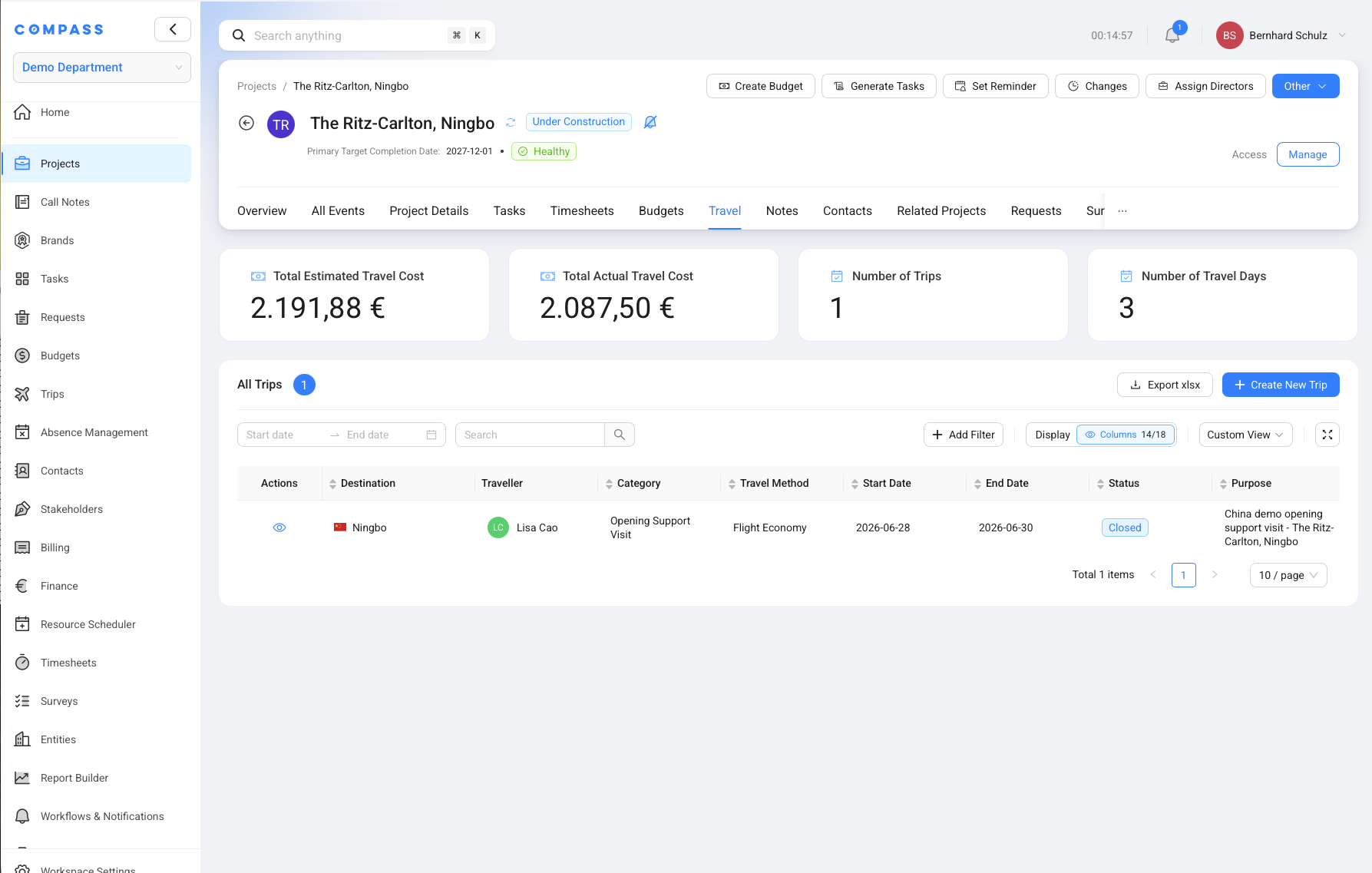
You can also open trips from a project. Go to Projects, open the project, select the Travel tab, and choose the trip from All Trips.
The project Travel tab is useful when you want to see travel cost in project context. It shows totals such as estimated travel cost, actual travel cost, number of trips, and travel days.
Review The Trip Details
The trip details page groups information so you can review the request without opening several screens.
The Base Information section includes traveler, category, destination, travel method, dates, accommodation, purpose, and notes. The Cost section includes estimated and actual transportation and stay costs.
The detail tabs can include Related Project, Approval History, File Uploads, and Related Trips. Use File Uploads for receipts, travel documents, or other supporting files. Use Approval History to understand who approved, declined, or still needs to act.
Understand Trip Statuses
Trip statuses show where the request is in the travel workflow. They help travelers, approvers, and finance teams know what still needs to happen.
| Status | Meaning |
|---|---|
| Draft | The trip has been started but not submitted. |
| Waiting For Approval | The trip needs approval before it is ready. |
| Ready For Trip | The trip is approved or does not need approval. The traveler can take the trip. |
| Declined | An approver declined the trip. |
| Closed | The trip is complete and all required cost tracking is finished. |
| Archived | The trip is no longer active in normal work lists. |
If no approval is required, a submitted trip can move toward Ready For Trip. If approval is required, the trip waits until the needed approver or approvers have acted.
Enter Actual Costs After The Trip
Actual cost tracking happens after the trip is complete when Trips Settings require it. The traveler, or another role with permission, enters the real cost of transportation and stay.
Actual costs matter because estimated costs are only the plan. The actual values show what was really spent. Finance and project teams can then compare planned travel cost with real travel cost.
If actual cost tracking is required, the trip does not close until the actual costs are entered. If actual cost tracking is not required, Compass can close the trip after the trip is complete.
Use actual cost tracking when travel expenses are charged to a project or passed through to a client. It keeps billing and reporting closer to the real cost.
Track Costs Against Project Budgets
Trips can connect travel expenses and service fees to project Budgets when the Project Blueprint allows or requires cost allocation.
For example, a project may have a Capital Expenditure (CapEx) or Service Revenue budget with 5,000 EUR planned for travel.
When trips are assigned to that budget, the project team can later compare the 5,000 EUR budget with the actual travel spend.
This is why the trip form may ask for a Budget and Budget Item during the cost step. After the trip is finalized, the project cost share and actual transportation and stay values determine the travel-expense actuals. Estimated costs remain planning values.
The allocated value is written to the selected Budget Item's Actual Cost Ledger. If that item belongs to a Service Revenue Budget using External invoicing + Actual Costs, Compass can also create an Invoice Position. Internal-only, Budgeted Amounts, CapEx, and OpEx Budgets keep the ledger entry without creating that position.
Use Trips In Reports
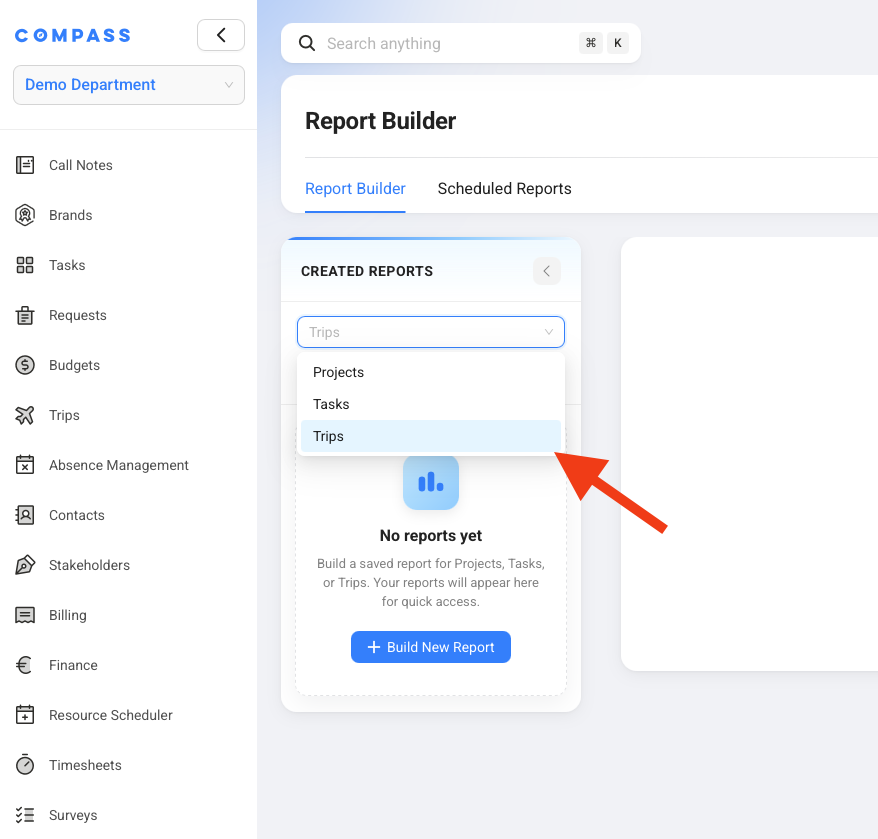
Trips data can be used in Report Builder for saved reports and scheduled reports. This helps teams share travel information without building a manual spreadsheet each month.
For example, you can create a monthly Excel report that lists all trips for the month, their travelers, destinations, statuses, estimated costs, and actual costs.
Common Mistakes
Problem: A trip is still Waiting For Approval.
Fix: Open Approval History to see which approval step is still open. If needed, contact the listed approver.
Problem: A finished trip is not Closed.
Fix: Check whether actual cost tracking is required. If it is required, enter the actual transportation and stay costs.
Problem: A project travel total looks incomplete.
Fix: Check that the trip is related to the correct project and that the cost share is entered correctly.
Problem: You cannot enter actual costs for another traveler.
Fix: Ask your administrator to check Allowed to Track Actual Costs for in the Trips module permissions for your role.