Absence Management
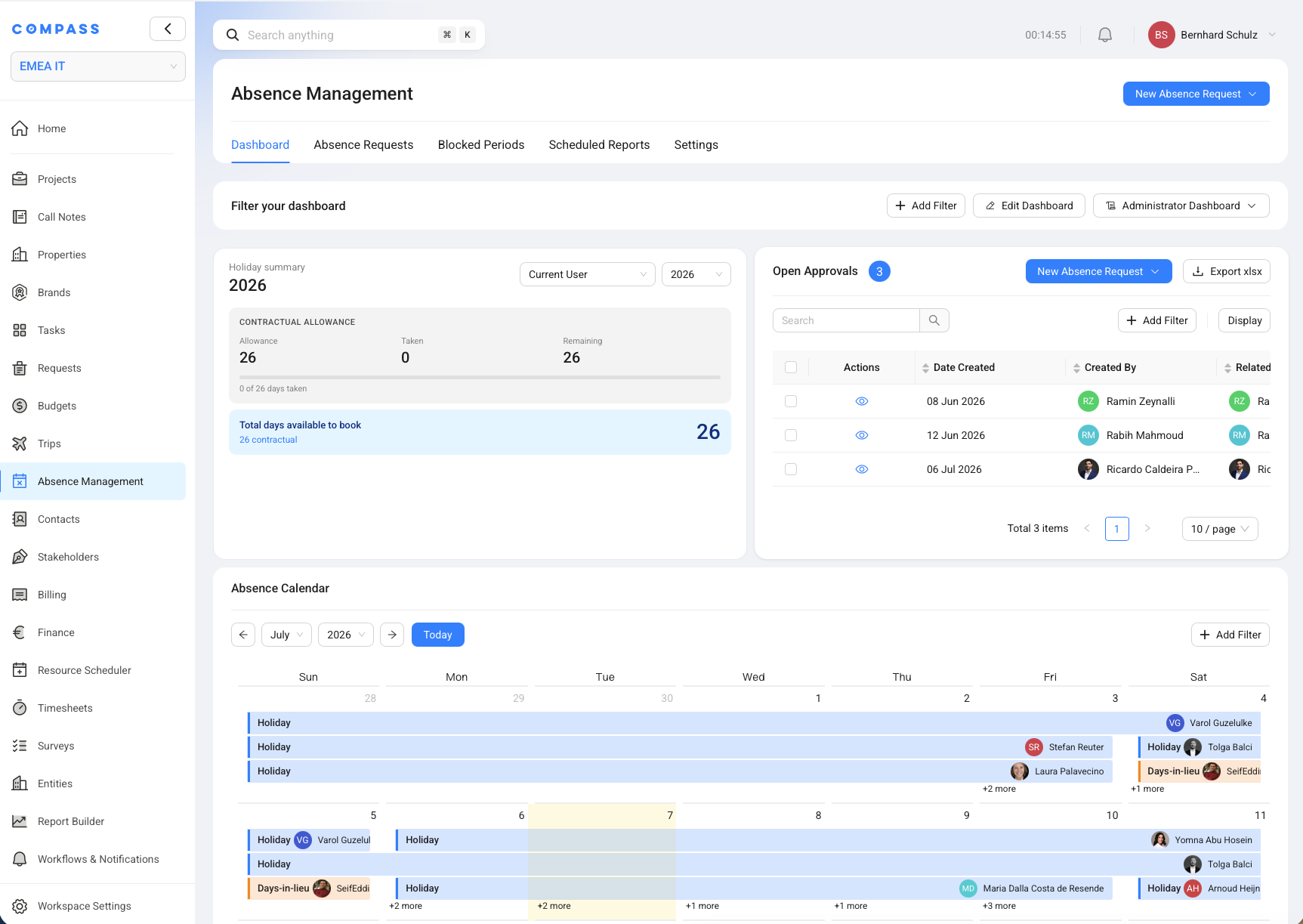
The Absence Management module helps teams plan time away from work without losing sight of project deadlines, staffing gaps, and approval rules. Use it to request holidays, record special leave, carry unused holiday days forward, track days in lieu, and keep sick notes visible in the calendar.
Absence Management is also an administration area. Administrators set the department rules, create blocked periods, and decide which roles can manage settings or submit requests for other users.
Key Concepts
The Absence Management module uses a few simple ideas to make leave planning clear for employees and approvers.
- Holiday allowance - The normal yearly holiday budget from the employee contract. Think of it as the main pot of days an employee can book.
- Days in lieu - Extra free days earned from work outside the normal schedule, such as weekend work. They can be used later for a holiday request.
- Carried-over days - Approved unused holiday days moved from one contractual year into the next. They may expire after a set number of weeks or months.
- Blocked period - A date range where holidays are not allowed for selected users or roles. For example, an administrator may block holidays during a hotel opening week.
- Approval instance - The person or role that reviews a request. Some requests need one approval, some need two, and sick leave notes normally only notify people.
What You Can Do In Absence Management
Absence Management gives staff and administrators one place to work with leave requests and availability.
- Check the Holiday Summary and absence calendar to see available days, open approvals, and planned absences.
- Create and review absence requests for holidays, carryover, days in lieu, sick leave notes, and special absence.
- Review conflict warnings before submitting a holiday or special absence request.
- Create blocked periods when holidays should not be allowed for selected users or roles.
- Set department-wide absence rules for approvals, carryover, days in lieu, and sick note notifications.
- Override absence settings for one user when a person's contract, location, schedule, or approver setup is different.
- Control role permissions for settings access, blocked period management, and requests on behalf of other users.
How Holiday Budgets Work
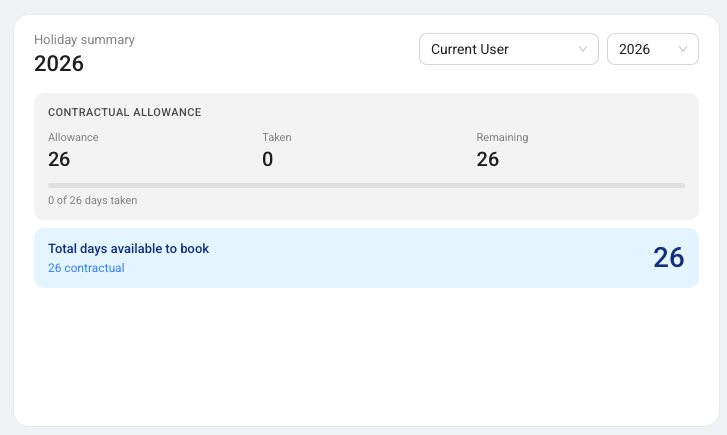
Holiday budgets in Absence Management come from three buckets: contractual allowance, days in lieu, and carried-over days.
The Holiday Summary widget shows these buckets for the selected user and year. Contractual allowance is the employee's normal yearly entitlement. Days in lieu are extra free days that were approved through a days-in-lieu request. Carried-over days are unused holidays from the previous contractual year.
When an employee creates a Holiday Request, COMPASS shows the expected usage during the review step. The review tells the employee how many days the request consumes and how many contractual days remain afterward. If days in lieu or carried-over days are available for the selected dates, they can be used before the request reduces the contractual allowance.
How It Connects To Other Modules
Absence Management works with other COMPASS modules because leave affects project delivery and team availability.
- Resource Scheduler: Absences help explain when team members are available or unavailable.
- Projects: Holiday review can warn about project completion dates that fall inside the requested absence.
- Task Management: COMPASS can show overlapping holidays from colleagues who work on the same tasks.
- User Management: User profiles hold each person's absence rules, contract details, work schedule, and role permissions.
- Workflows & Notifications: Approvers receive in-app notifications and emails when a request needs action.
- Report Builder: Absence request data can support reports and scheduled exports.
Quick Reference
Use this Absence Management quick reference when you need to know where common leave work happens.
| Action | Where to Find It |
|---|---|
| Create a request | Absence Management -> New Absence Request |
| Check available holiday days | Absence Management -> Dashboard -> Holiday Summary |
| Review approvals | Absence Management -> Dashboard -> Open Approvals |
| View all requests | Absence Management -> Absence Requests |
| Add a blocked period | Absence Management -> Blocked Periods -> Add Blocked Period |
| Set department rules | Absence Management -> Settings |
| Override one user's rules | Users & Roles -> Open User -> Absence Management |
| Control role access | Users & Roles -> Open Role -> Module Permissions -> Absence Management |