Absence Settings
Absence Settings are the department-wide rules for holiday requests, carryover, days in lieu, sick notes, and approvals. Administrators use this tab to set the normal policy for everyone in the workspace.
These settings are the baseline. A user profile can still override them when one employee has a different contract, location, work schedule, holiday allowance, or approver setup.
Holiday Request Settings
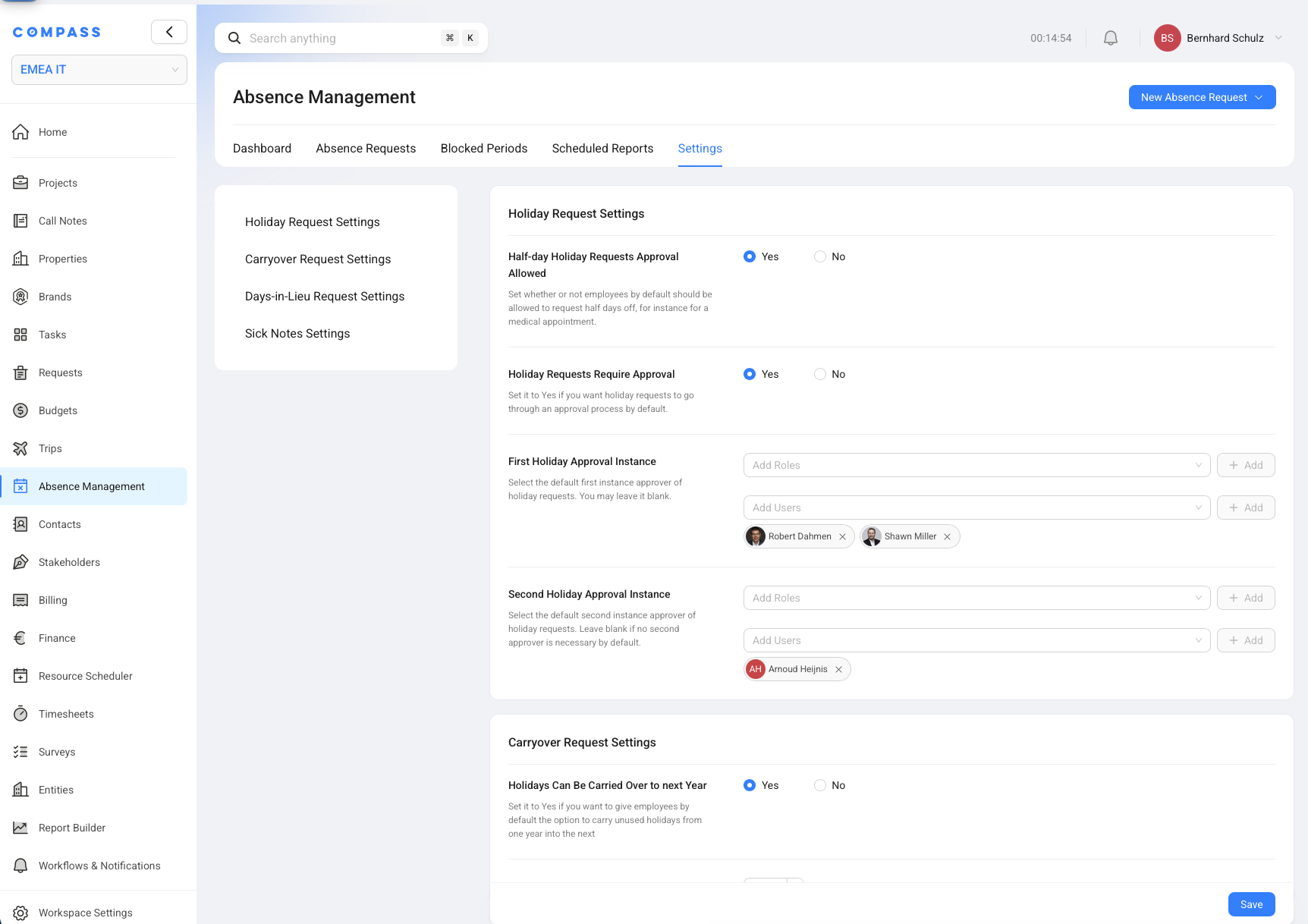
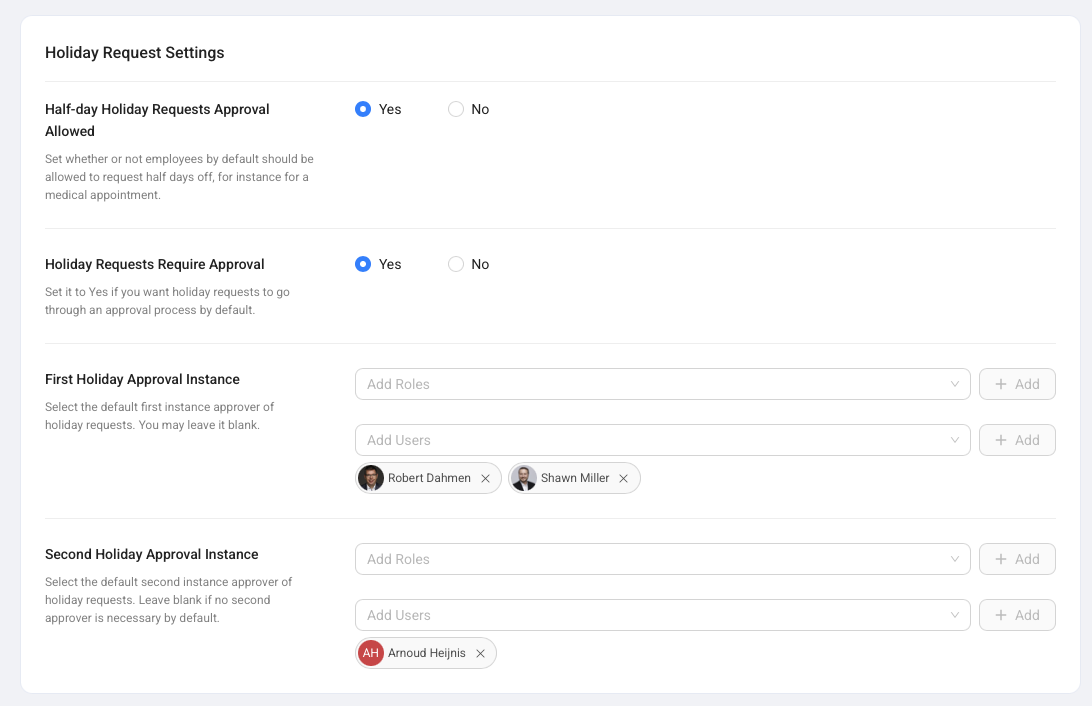
Holiday Request Settings decide how normal holiday requests work for the department.
Half-day Holiday Requests Approval Allowed controls whether employees can request a half day, such as AM or PM, instead of a full day. Holiday Requests Require Approval controls whether holiday requests go through an approval process.
When approval is required, administrators can set a First Holiday Approval Instance and an optional Second Holiday Approval Instance. Each instance can include roles or specific users. Think of this as the default approval route COMPASS follows when a holiday request is submitted.
Carryover Request Settings
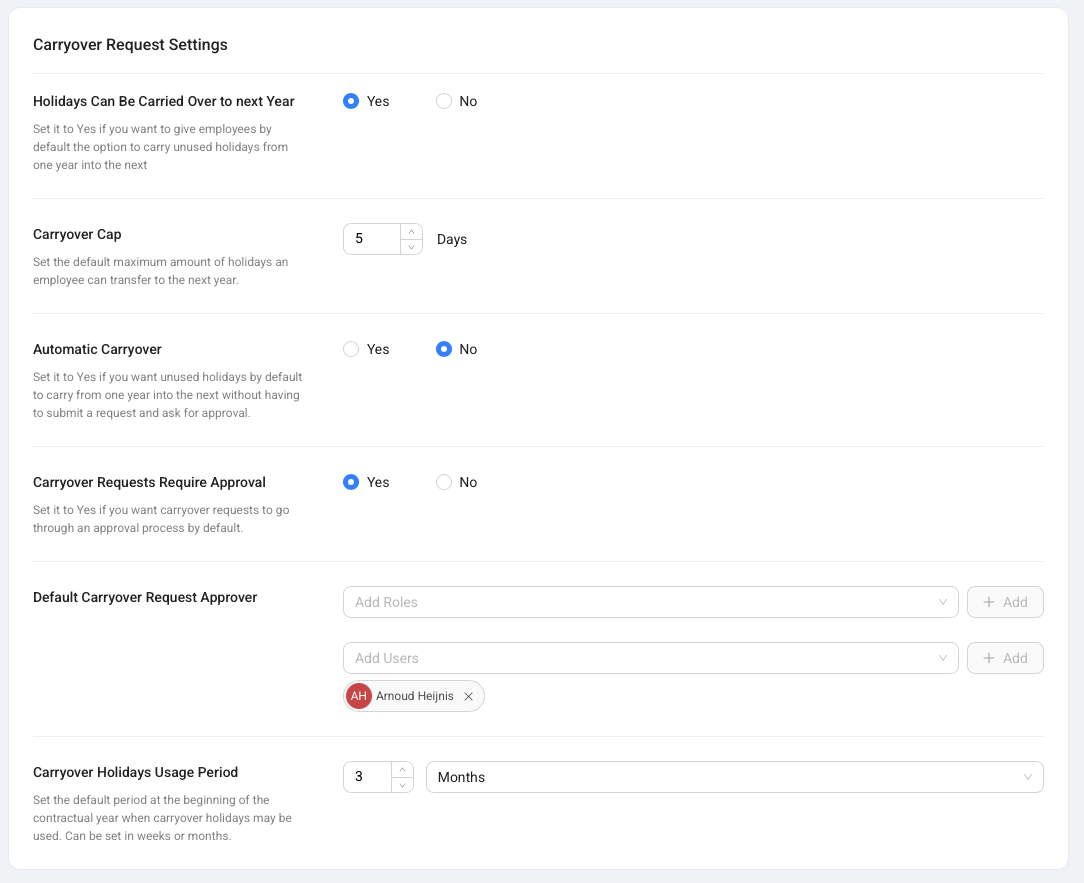
Carryover Request Settings decide whether employees can move unused holiday days into the next contractual year.
Holidays Can Be Carried Over to next Year enables carryover. Carryover Cap sets the maximum number of days an employee can transfer. Automatic Carryover decides whether COMPASS carries days forward automatically or whether employees must submit a Holiday Carryover Request.
When manual carryover requires approval, administrators can set the default carryover approver. Carryover Holidays Usage Period sets how long carried-over days stay usable, such as 3 months after the new contractual year begins.
Carryover rules affect available holiday balances. Review the cap and usage period before changing them for an active department.
Days-in-Lieu Request Settings
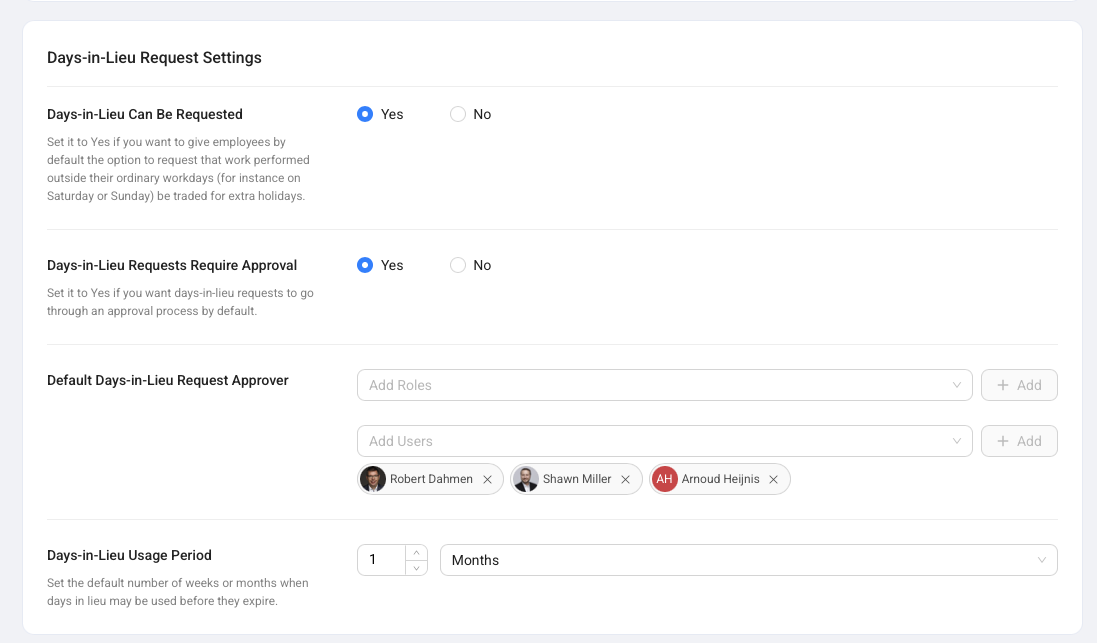
Days-in-Lieu Request Settings decide whether employees can request extra free days for work outside their normal schedule.
Days-in-Lieu Can Be Requested enables the request type. Days-in-Lieu Requests Require Approval controls whether a manager must approve the earned days. Administrators can set a default approver and a Days-in-Lieu Usage Period.
The usage period is important because approved days in lieu can expire. For example, a policy may say that days in lieu must be used within 1 month.
Sick Notes Settings
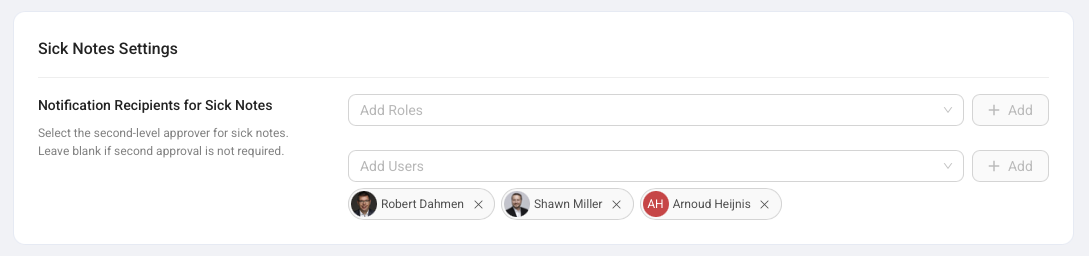
Sick Notes Settings decide who is notified when an employee records a sick leave note.
Sick leave notes are mainly informational. They make the absence visible in COMPASS and help the team understand availability. They do not normally need approval and they do not use contractual holiday allowance.
Administrators can add roles or specific users as Notification Recipients for Sick Notes. Those recipients are alerted when a sick note is created.
When To Use User Overrides Instead
Use user-level Absence Management settings when one employee needs rules that differ from the department baseline.
Good examples are a different yearly holiday allowance, a non-calendar contractual year, a different work schedule, another country or subdivision, or a specific approval route. The department settings remain the default for everyone else.
Set the common rule here first. Then use the user profile only for real exceptions.