Absence Management Dashboard
The Absence Management Dashboard is the first place to check holiday balances, pending approvals, and the team absence calendar. It gives employees a quick view of their own balance and gives administrators a wider view when they have permission.
How To Open The Dashboard
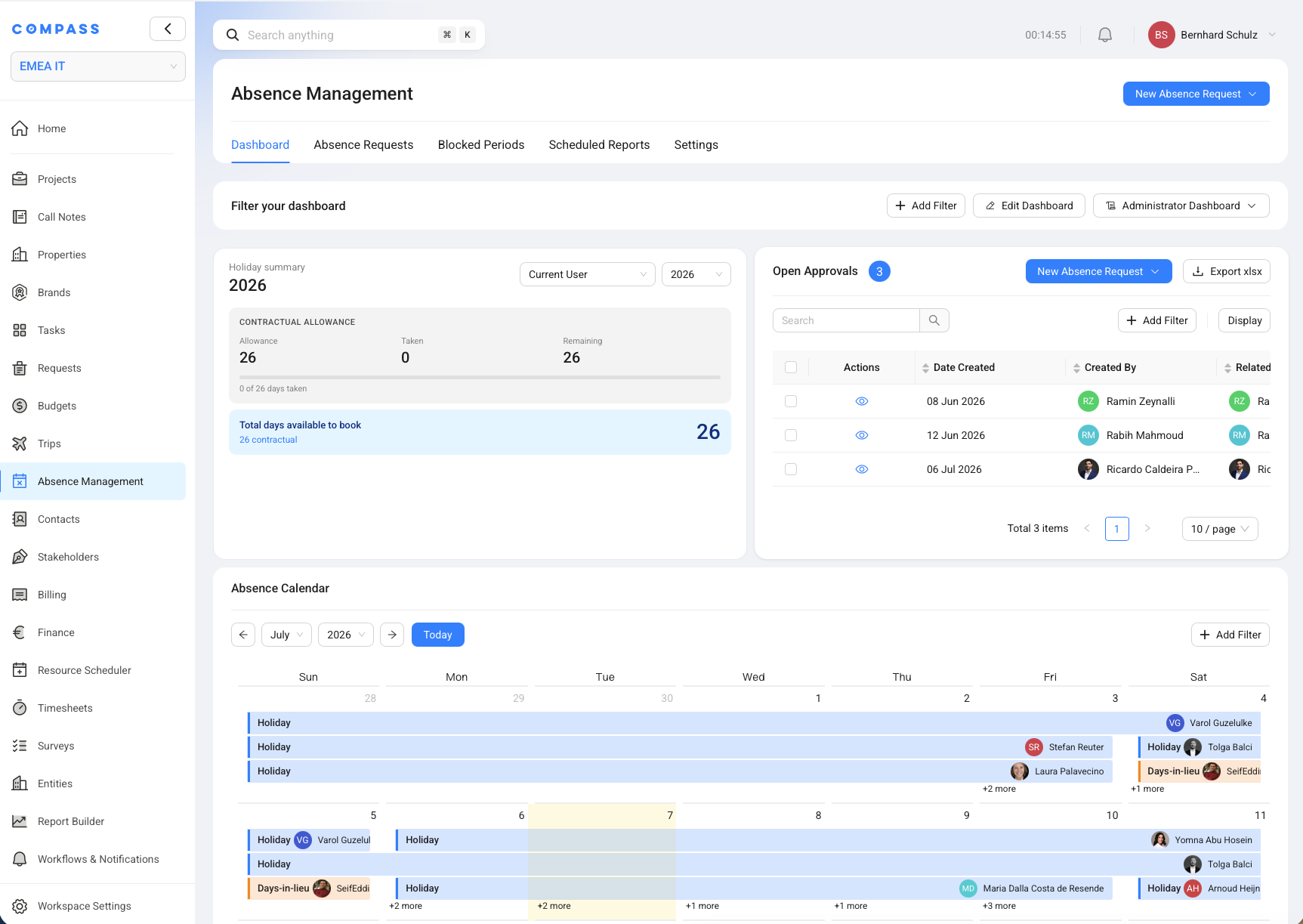
The Absence Management dashboard is available from the main COMPASS sidebar.
- In your Compass workspace, open Absence Management.
- Select the Dashboard tab.
- Use the user and year filters in the Holiday Summary widget when you need a different person or year.
Your role decides whether you can see only your own absence information or a wider administrator view.
What The Holiday Summary Shows
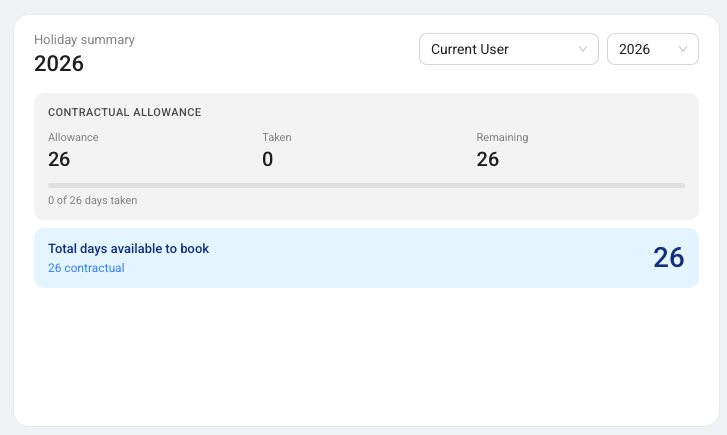
The Holiday Summary widget shows how many holiday days are available for the selected user and year.
The widget starts with the contractual allowance. This is the normal yearly holiday budget from the employee contract. It also includes approved days in lieu and approved carried-over days when they are still valid for booking.
The large Total days available to book number is the practical answer for employees. It combines the remaining contractual allowance, available days in lieu, and available carried-over days. Expired carried-over days and expired days in lieu are not shown as bookable.
What Open Approvals Shows
The Open Approvals widget lists absence requests that still need a decision.
Approvers can open a request from the Actions column and review its details before approving or declining. The table includes the date created, creator, related employee, request type, status, start date, end date, and description.
When a request needs approval, COMPASS sends the approver an in-app notification and an email. This helps approvers act without checking the dashboard manually every day.
What The Absence Calendar Shows
The Absence Calendar shows approved and pending absences on a monthly calendar.
Holiday requests, days in lieu, sick leave notes, and other absence records appear on the calendar so teams can see who is away. This helps project teams avoid planning important work when several people are unavailable.
Use the month controls, Today, and Add Filter when you need to focus on a smaller group or a specific period.