How to Send a Form
You can send a published template to one project or to up to 200 projects at once. Compass emails the link, or you get the links and share them yourself.
The template must be Published, and you need the Service Forms permission and edit access to the projects.
Steps
Open the Send dialog
Click Send forms… at the top of Service Forms, or Send form… on the Service Forms tab of a project.
Pick the form and the projects
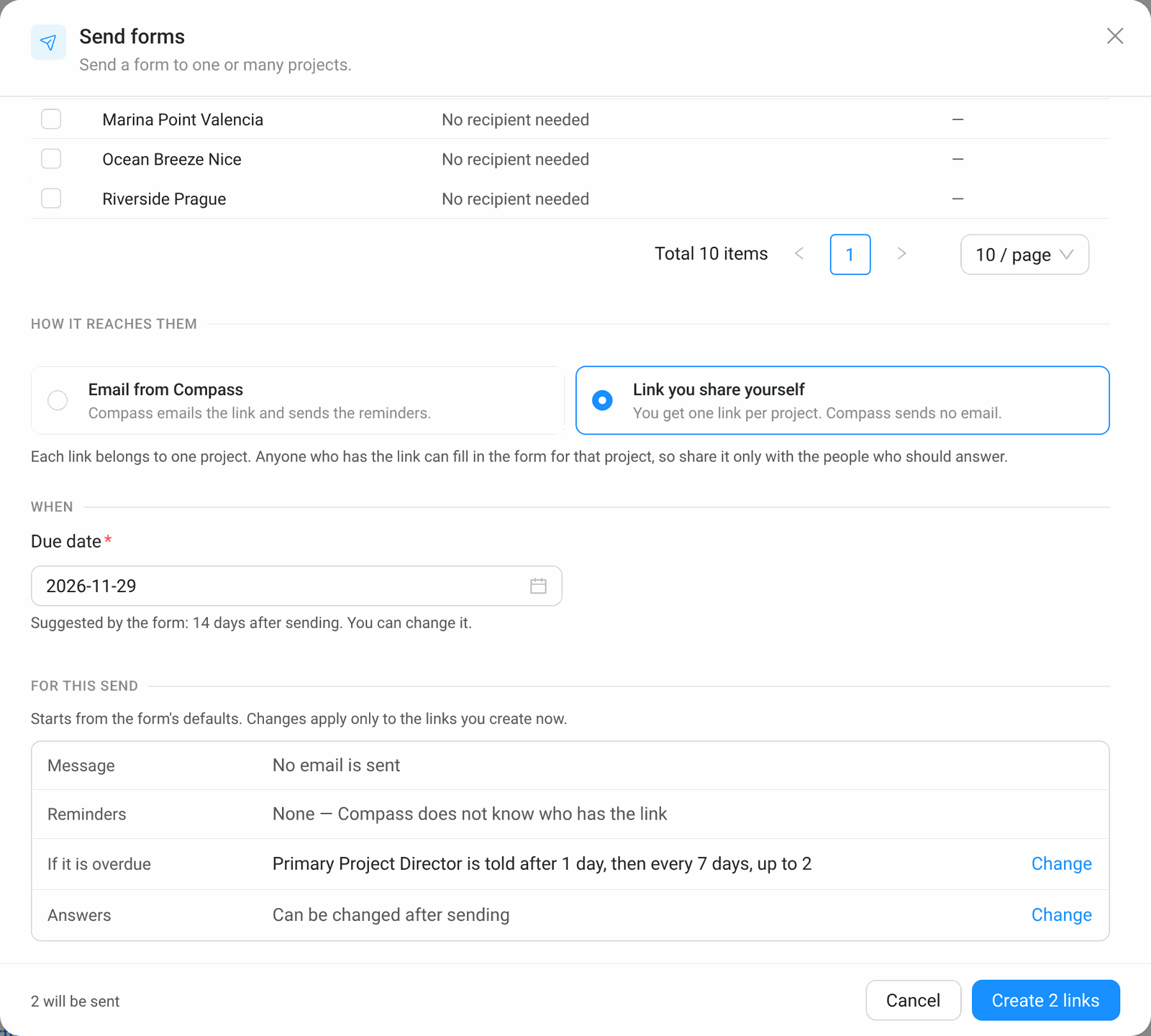
Choose the template under Form and tick the projects. Hide projects that already have it keeps projects with an open form out of the list. If the form asks for the recipient when sending, enter an email address per project.
Choose how it reaches them
Email from Compass: Compass emails the link and sends the reminders. Link you share yourself: you get one link per project and Compass sends no email.
Check the due date and "For this send"
The due date is suggested by the template; you can change it. Under For this send you can change the message, reminders, overdue alert and whether answers can be changed — for this send only. The template stays as it is.
Send
Click Send to N projects, or Create N links when you share links yourself.
Sharing the Link Yourself
With Link you share yourself, Compass creates the form for each project and shows you the links. Copy one with Copy link, or all of them with Copy all links, and send them in your own email or chat.
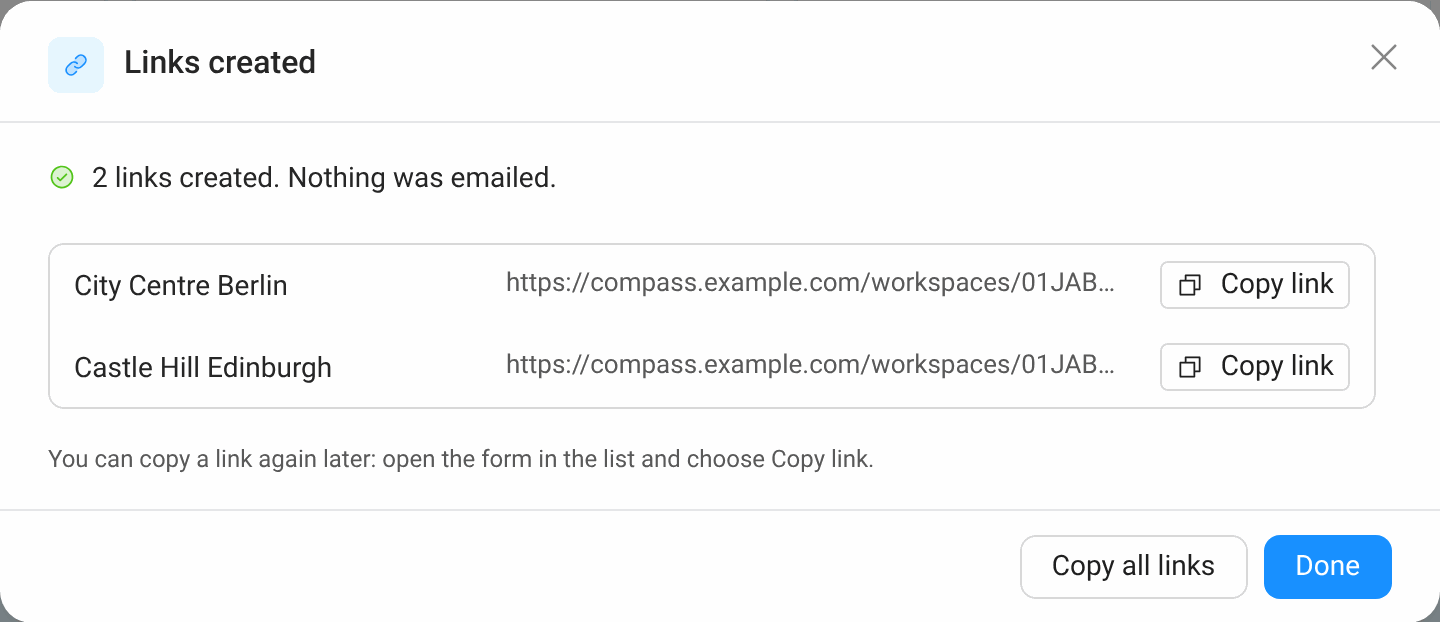
Each link belongs to one project. Anyone who has it can fill in the form for that project, so share it only with the people who should answer. Compass does not send reminders for links you share yourself, because it does not know who has them.
Answers Once or Changeable
Under Answers you choose what happens after the recipient sends the form.
- Can be changed after sending: the recipient can open the link again and correct the answers. New answers replace the old ones.
- Only once: after sending, the link only shows that the answers were sent. Use this for sign-offs.
Common Mistakes
- Problem: A project is missing from the list. Fix: it already has an open form of this template, or it is of another project type. Turn off Hide projects that already have it to see it.
- Problem: "Send later" is missing. Fix: it is only offered for Email from Compass; a shared link is created at once.