What the Recipient Sees
The person who gets a form does not need Compass. They open the link from the email (or the link you shared) and land on a simple page with your company name on top. It works on a laptop and on a phone.
The Form Page
The page tells them who asks, for which project, and by when. Then the questions follow, one page (step) at a time, with a progress bar. Required questions are marked with *.
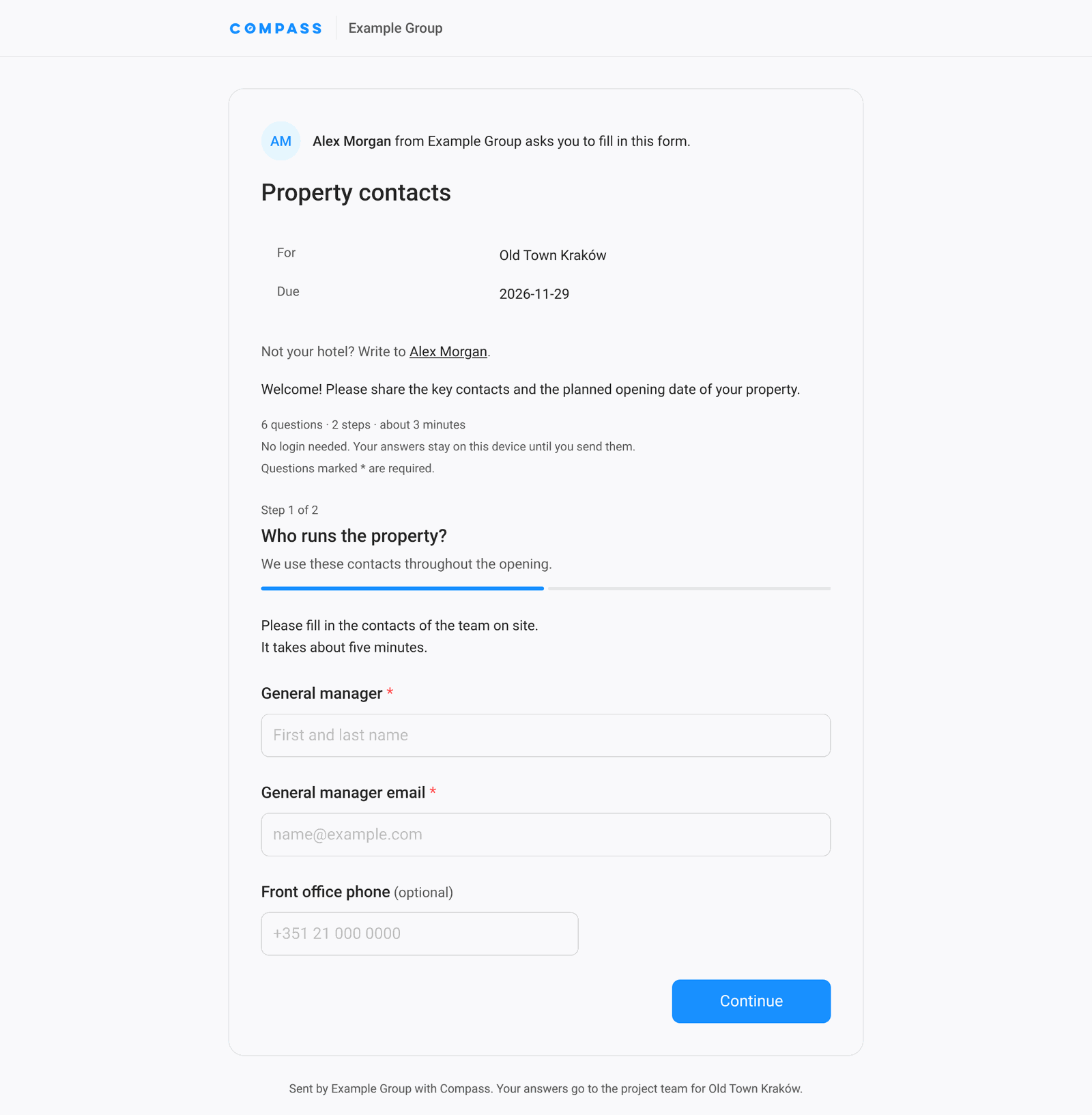
- No login — the link is the key. Nobody needs an account or a password.
- Nothing gets lost — answers stay on their device until they send them, so they can close the page and come back.
- Check before sending — forms with more than one step end with Check your answers, where each step can be changed.
After Sending
After Send, the recipient sees a confirmation with the date and time. If the form allows changes, they can open the same link again and correct the answers; the new answers replace the old ones.
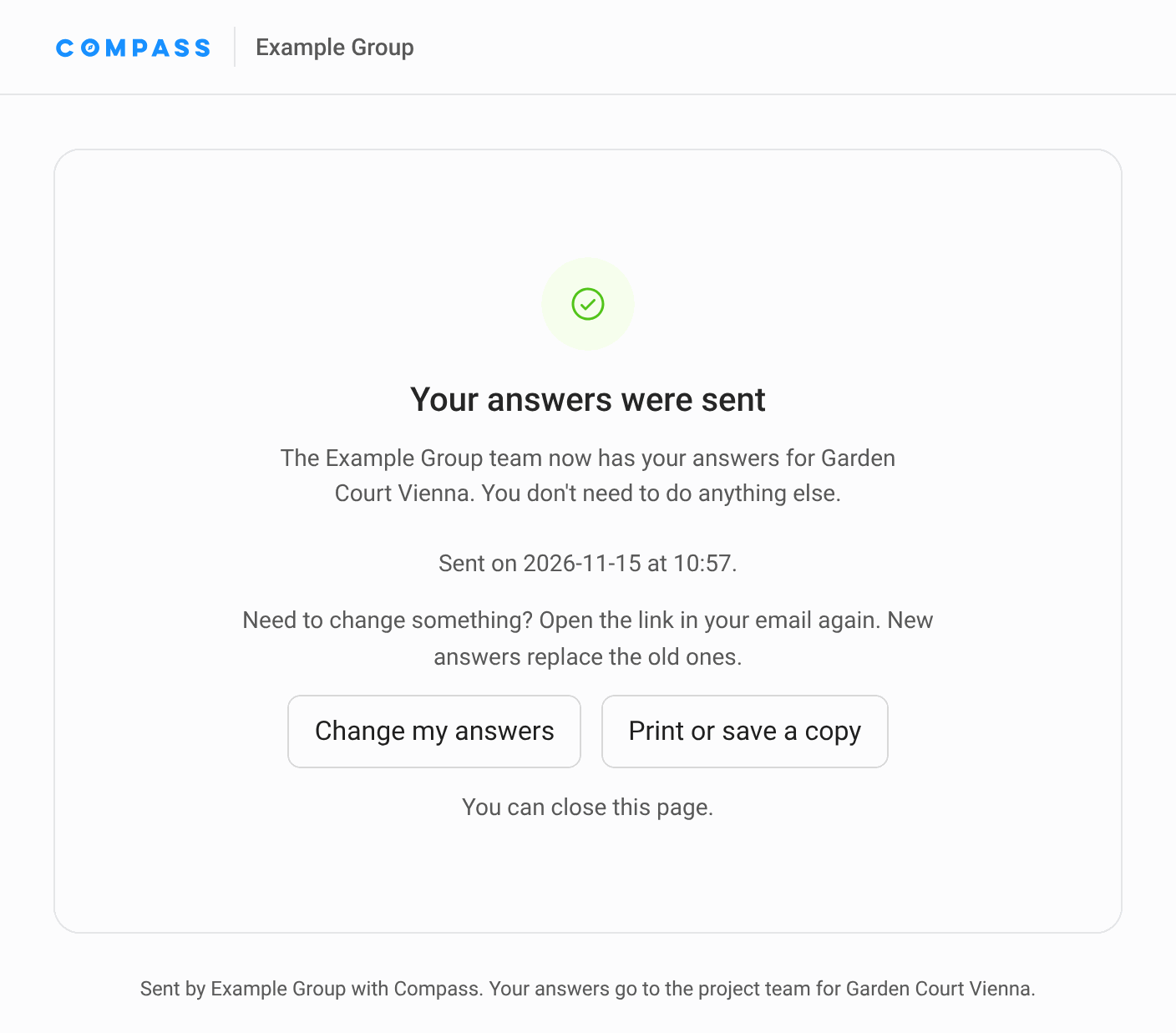
When the form was sent with Answers: only once, the page warns before sending, and afterwards the link only shows that the answers were sent. To correct something, the recipient writes to the person who asked.