What Happens With the Answers
The After submission step is a to-do list for Compass. When a recipient sends their answers, Compass works through five steps, in this order. Every step is optional: a step you do not use stays a small card with an Add button.
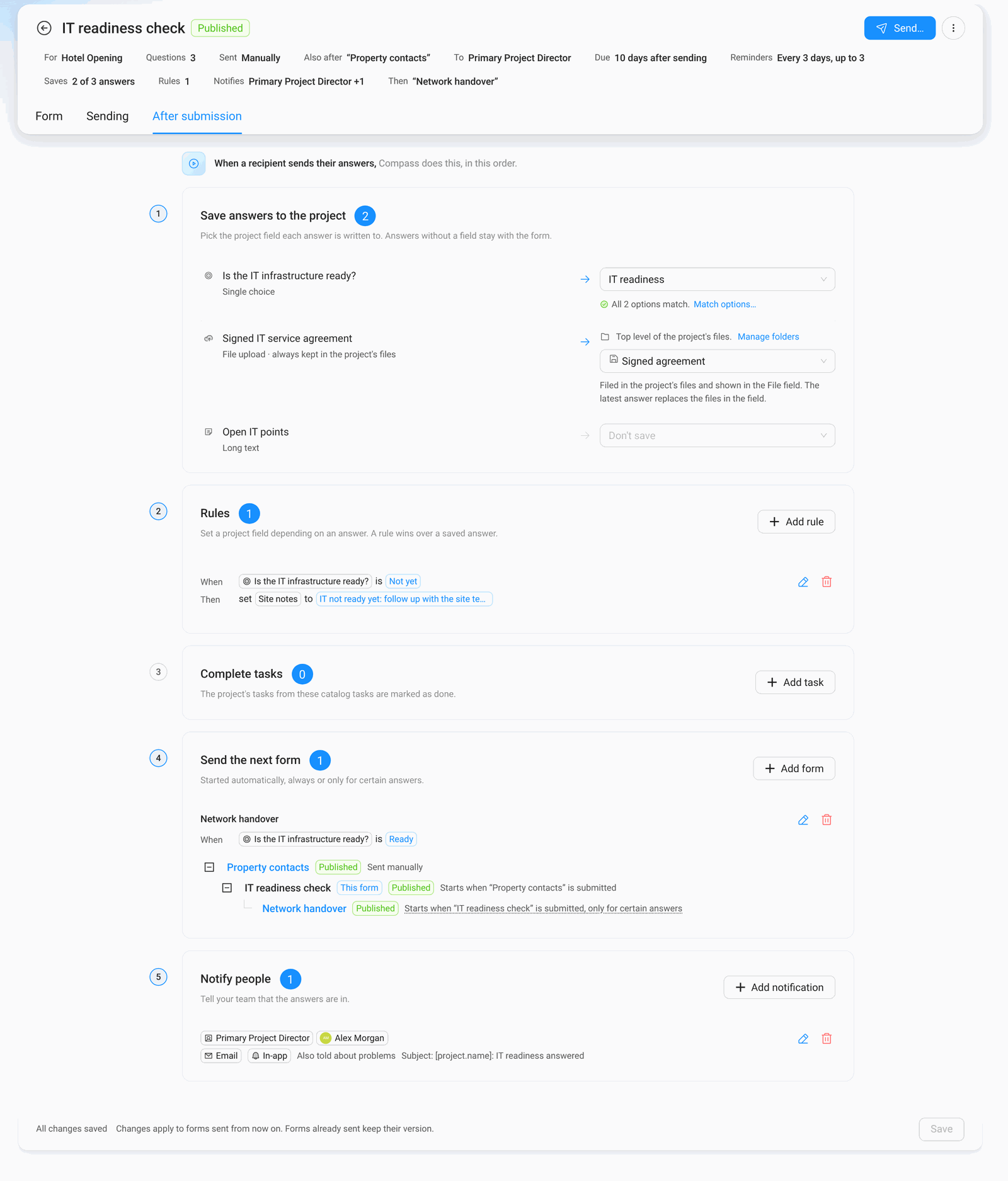
1. Save Answers to the Project
Pick the project field each answer is written to. In the example, the answer to Is the IT infrastructure ready? goes into the project field IT readiness. Answers without a field stay with the form, where you can always read them.
- Choice questions: Compass checks that the options match the options of the project field. Match options… lets you pair them by hand.
- File questions: files always land in the project's Files. You can also show them in a File field of the project, and choose a folder.
- One answer per field: a project field can only receive one answer. A field already in use shows "Used by …" in the list.
- Your permissions count: you can only pick project fields your role may edit. Fields you cannot edit show a lock.
2. Rules
A rule sets a project field depending on an answer. It reads like a sentence: When Is the IT infrastructure ready? is Not yet, then set Site notes to IT not ready yet: follow up. A rule wins over a saved answer for the same field.
3. Complete Tasks
Choose catalog tasks that Compass marks as done when the form comes back. Example: the task "Collect IT contacts" is completed as soon as the IT readiness check is answered.
4. Send the Next Form
Chain forms: when this form is answered, Compass sends the next one by itself. Each next form is sent Always or Only for certain answers. In the example, Network handover only goes out when the IT infrastructure is ready. If the answer says Not yet, that form shows Not needed for the project.
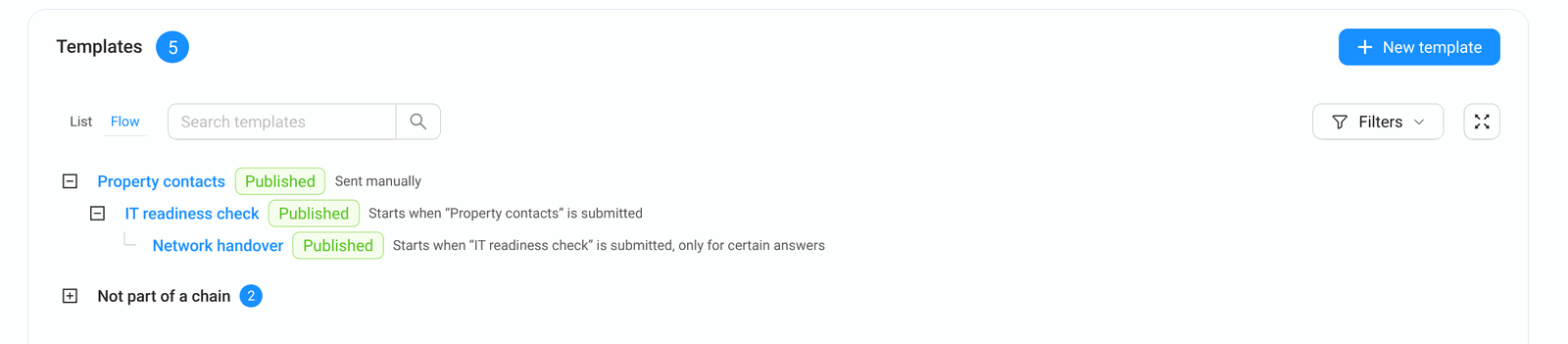
The small tree below the list shows the whole chain. You find the same tree under Templates → Flow:
A next form is sent without anybody clicking Send, so its template needs a fixed recipient (for example Primary Project Director).
5. Notify People
Tell your team that the answers are in, by email, in Compass (In-app), or both. Turn on Also told about problems if they should hear when something could not be saved.