Task Catalogs
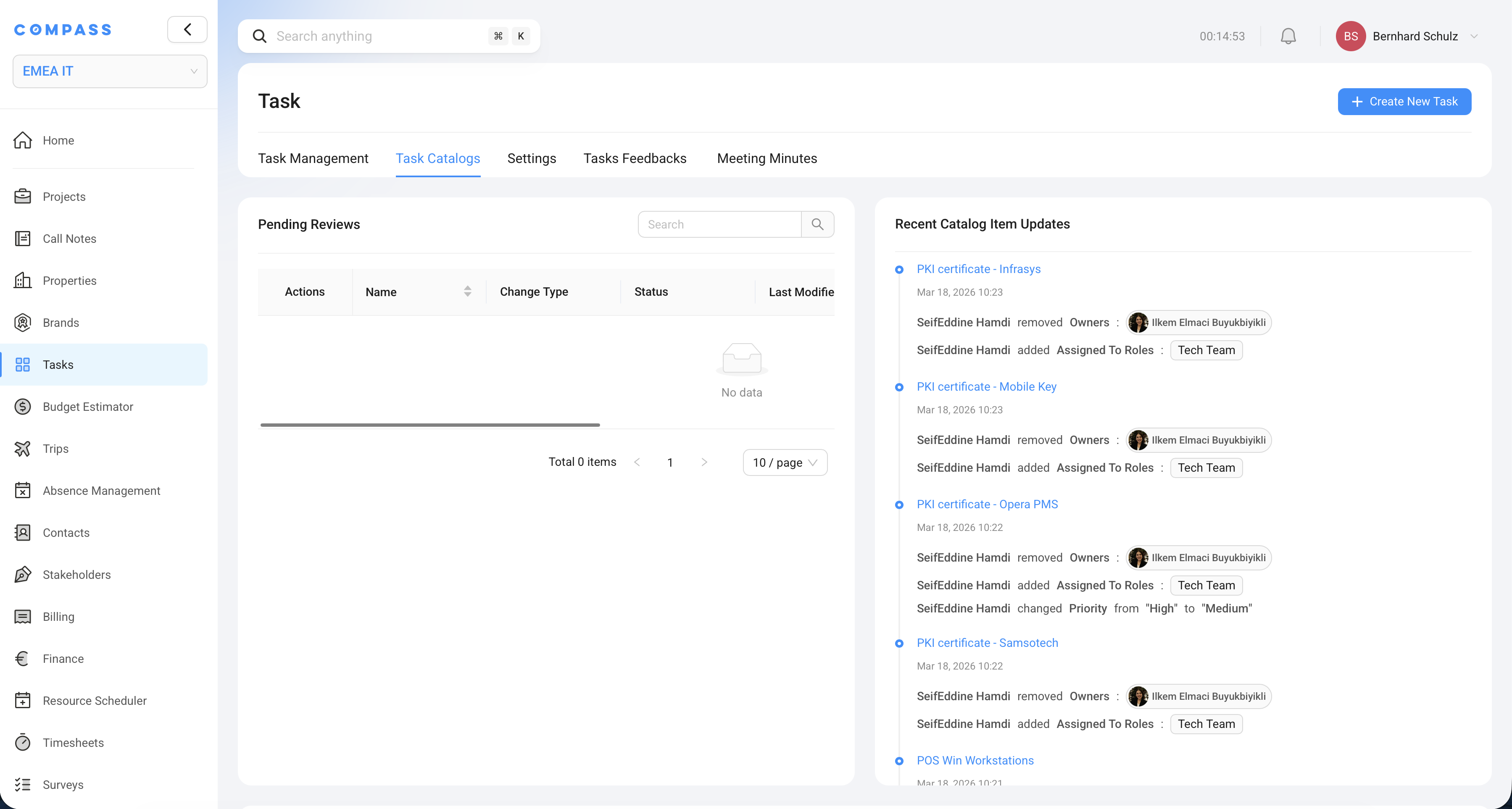
A Task Catalog is a reusable library of task definitions. It's the master template that Compass draws from when generating a project's task list. A catalog is not a one-to-one copy of tasks — it's an intelligent template that adapts to each project.
Video walkthrough (Loom)
This recording covers working with a Task Catalog — creating catalog items, importing, and what the main tabs do. Use the play button on the preview below, or open the video on Loom in a new tab for full screen and Loom’s player controls.
What a Task Catalog contains
Every Task Catalog is made up of:
- Basic info: name, notes, category, subcategory
- Task Catalog Items: the individual task definitions (see Task Catalog Items)
- Shared rules: Applicability Rules and Creation Rules that can be reused across items in the catalog (see Applicability & Creation Rules)
- Access control: Owners and Collaborators
- Workspace assignments: which workspaces this catalog is available in
- Blueprint associations: which Project Blueprints use this catalog
Catalog structure: Categories
Catalogs can be organized with Categories and Subcategories. This helps you find the right catalog in the library, especially when your organization has dozens of them.
Example taxonomy:
Category: Hotel Opening
  Subcategory: Full Service
  Subcategory: Select Service
  Subcategory: Luxury / Lifestyle

Category: Hotel Renovation
  Subcategory: Rooms Only
  Subcategory: F&B Renovation
  Subcategory: Full Property
Access control: Owners and Collaborators
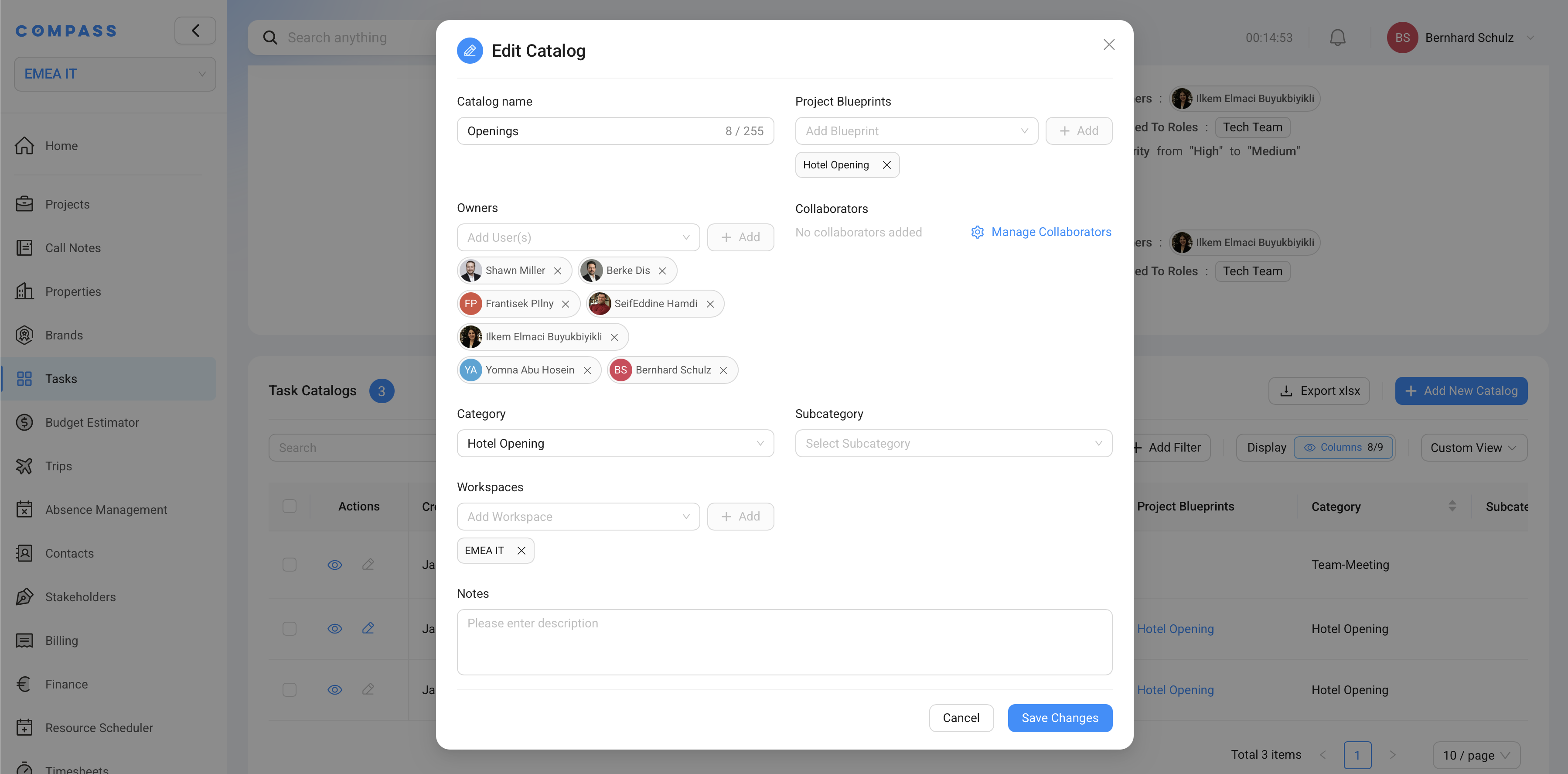
Task Catalogs have a built-in access model with two roles:
Owners
Owners have full control over the catalog. They can:
- Add, edit, and delete Task Catalog Items without approval
- Manage collaborator access
- Delete the catalog
Typically, catalog owners are the team members responsible for maintaining task standards — like a PMO (Project Management Office) team or a department director.
Collaborators
Collaborators can view and propose changes to the catalog, but with restrictions:
- Write with approval: edits and new items are submitted as a draft/pending request that an Owner must approve before taking effect
- Delete with approval: similar approval flow for deletions
This makes collaborative maintenance safe — subject matter experts in various departments can contribute their knowledge to the catalog without accidentally breaking live task templates.
Use approval-required collaboration when your catalog drives active projects. If you're in a free-form design phase and nobody is using the catalog yet, you might give collaborators full write access instead.
Workspaces
A catalog must be assigned to one or more Workspaces to be accessible to users within those workspaces. If you have multiple organizational units (brands, regions, entities) separated into workspaces, you control which catalogs each workspace can see and use.
Project Blueprint association
For tasks to be automatically generated when a new project is created, the catalog must be associated with a Project Blueprint.
A Project Blueprint defines the structure of a project type: its custom fields, its budget structure, and — critically for tasks — which Task Catalogs it uses.
When someone creates a project using a blueprint that has a Task Catalog, they can generate tasks from that catalog directly from the project's task tab.
A Project Blueprint can be associated with more than one Task Catalog. This is useful when different departments each maintain their own catalog that all apply to the same project type — for example, a separate catalog for Finance tasks, one for Construction, and one for IT, all linked to the "Hotel Opening" blueprint.
Task Catalog Items and their statuses
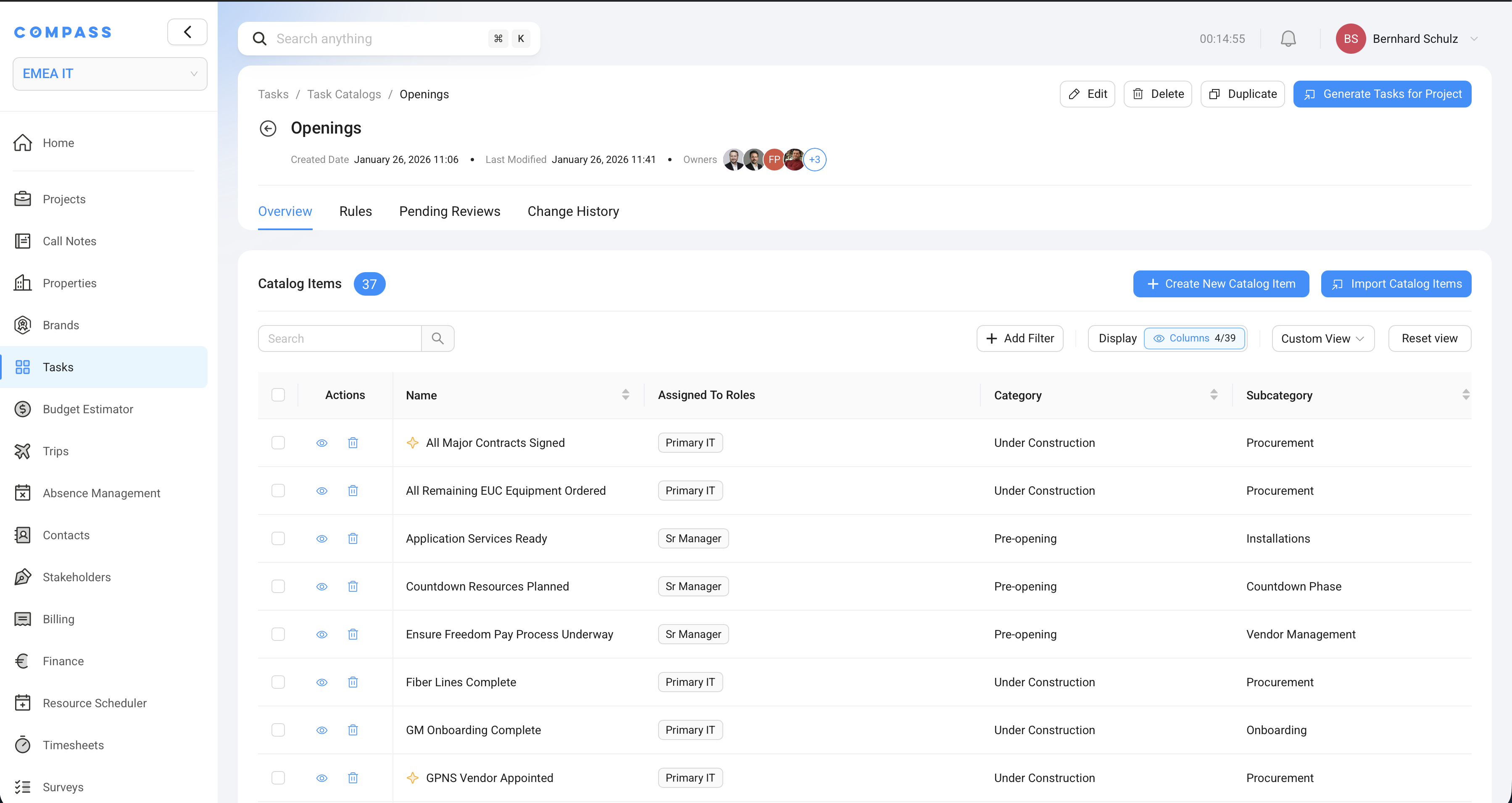
Each Task Catalog Item within the catalog has a status:
| Status | Meaning |
|---|---|
| Draft | The item is being worked on and is not yet active |
| Pending | A collaborator has submitted the item for review; waiting for Owner approval |
| Active | The item is approved and will be evaluated when tasks are generated for a project |
| Rejected | The item was reviewed and rejected; it will not be used in task generation |
Only Active items are included when generating tasks for a project. This lets you maintain items in draft while active projects keep running.
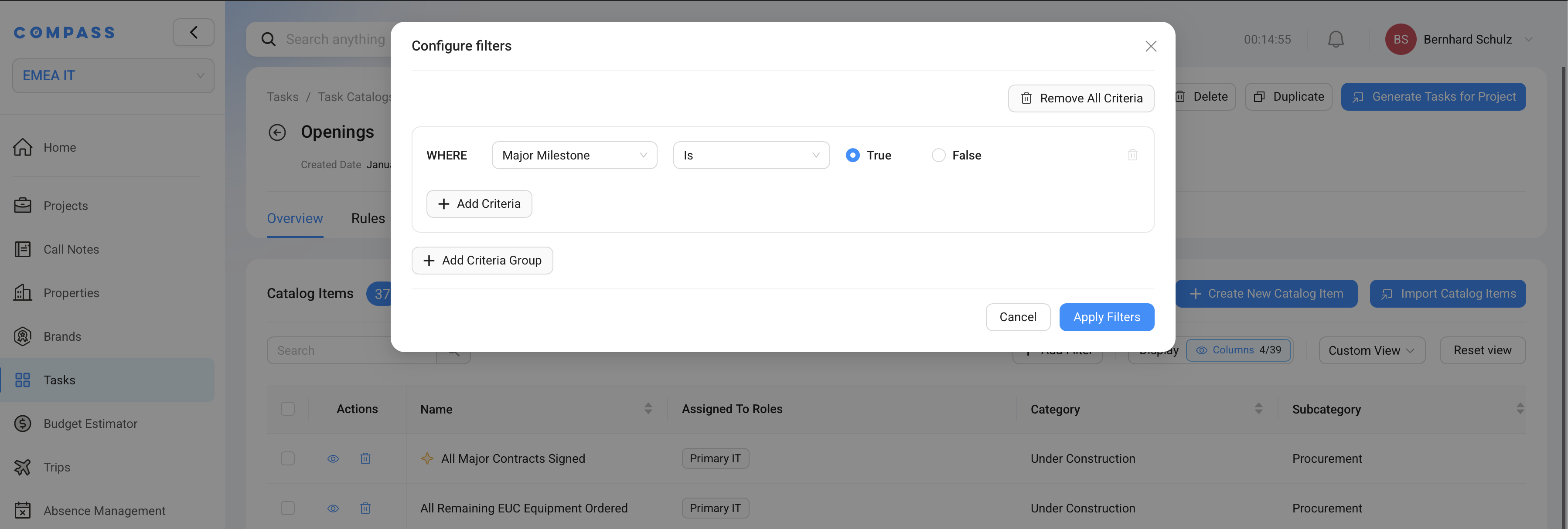
When a catalog has hundreds of items, the list can get long. Use Add Filter to narrow it down — for example, show only items where Major Milestone is Yes, only items in a specific category, or only items linked to a certain Applicability Rule or Creation Rule. Use Display to group items by category, department, or other fields so related items sit together. The Custom View button lets you save your current filter and grouping as a named view you can return to.
Example: Filter Applicability Rules by
Franchised Onlyto see every Task Catalog Item that only applies to franchise properties. You can do the same with Creation Rules to see every item linked to a specific timing rule.
Shared rules: The two rule types
A Task Catalog holds a shared library of rules that individual Task Catalog Items can reference:
| Rule Type | What it does | Where it's used |
|---|---|---|
| Applicability Rule | Determines if a task should be created for a given project | Assigned to a Task Catalog Item; if any rule matches, the task is created |
| Creation Rule | Determines when a task is created | Assigned to a Task Catalog Item; delays creation until conditions are met |
Rules are defined once at the catalog level and can be reused across many items. For example, you might define a "Luxury Brand" applicability rule once and assign it to all the luxury-specific tasks in the catalog. Any field from the associated Project Blueprint can be used as a condition in a rule.
See Applicability & Creation Rules for a full explanation of how to build each type.
Task properties that need to differ between project types (like duration, assignees, or resources) are handled through Project-Based Overrides configured directly on the Task Catalog Item — see Task Catalog Items.
Updating a catalog that's already in use
When you update a Task Catalog Item on an active catalog — changing a duration, adding a subtask, tweaking a rule — you have control over whether those changes propagate to tasks that already exist on projects.
When saving changes to a catalog item, you choose a sync mode:
| Sync Mode | What happens |
|---|---|
| Sync with all tasks | The change is applied to every project task that was generated from this catalog item, regardless of its status |
| Sync with not-started tasks | The change is only applied to project tasks that haven't been started yet (status = Not Started) |
This prevents accidental overwrites of tasks that are already in progress — for example, you wouldn't want to reset the due date on a task someone is actively working on.
Practical example: Hotel Opening Catalog
Let's trace through a realistic setup:
Catalog: Hotel Opening — Full Service
Blueprint association: Linked to the "Full Service Hotel Opening" Project Blueprint
Items (excerpt):
- Execute Fire & Safety Inspection — Major Milestone: No, WillDelayProjectCompletion: Yes
- Complete Guest Room FF&E Installation — Related Milestone: "Rooms Ready"
- Onboard Restaurant Manager — Dynamic Assignee: whoever is in the "HR Lead" project field
- Submit Brand Standards Compliance Report — Applicability Rule: Only for Marriott, Hilton, or IHG brand projects
Generating tasks: When a new hotel opening project is created in Chicago for a Marriott property:
- Items with applicability rules are evaluated — brand-specific items for Marriott brands pass; those for other brands are excluded
- Dates are calculated from the project's target opening date (primary completion date)
- The HR Lead from the project's custom field is assigned to the "Onboard Restaurant Manager" task
- 80 tasks are generated out of 150 catalog items